Manager Profile
View a manager's activity, update their details and choose permissions.
On this page
Use a manager's profile to check their activity and update their details or permissions.
Open a manager profile
- In the Loyaltymaster console, open Managers (the single-person icon below Locations) from the left menu.
- Select the manager's name to open Manager profile.
Select any screenshot to enlarge it.
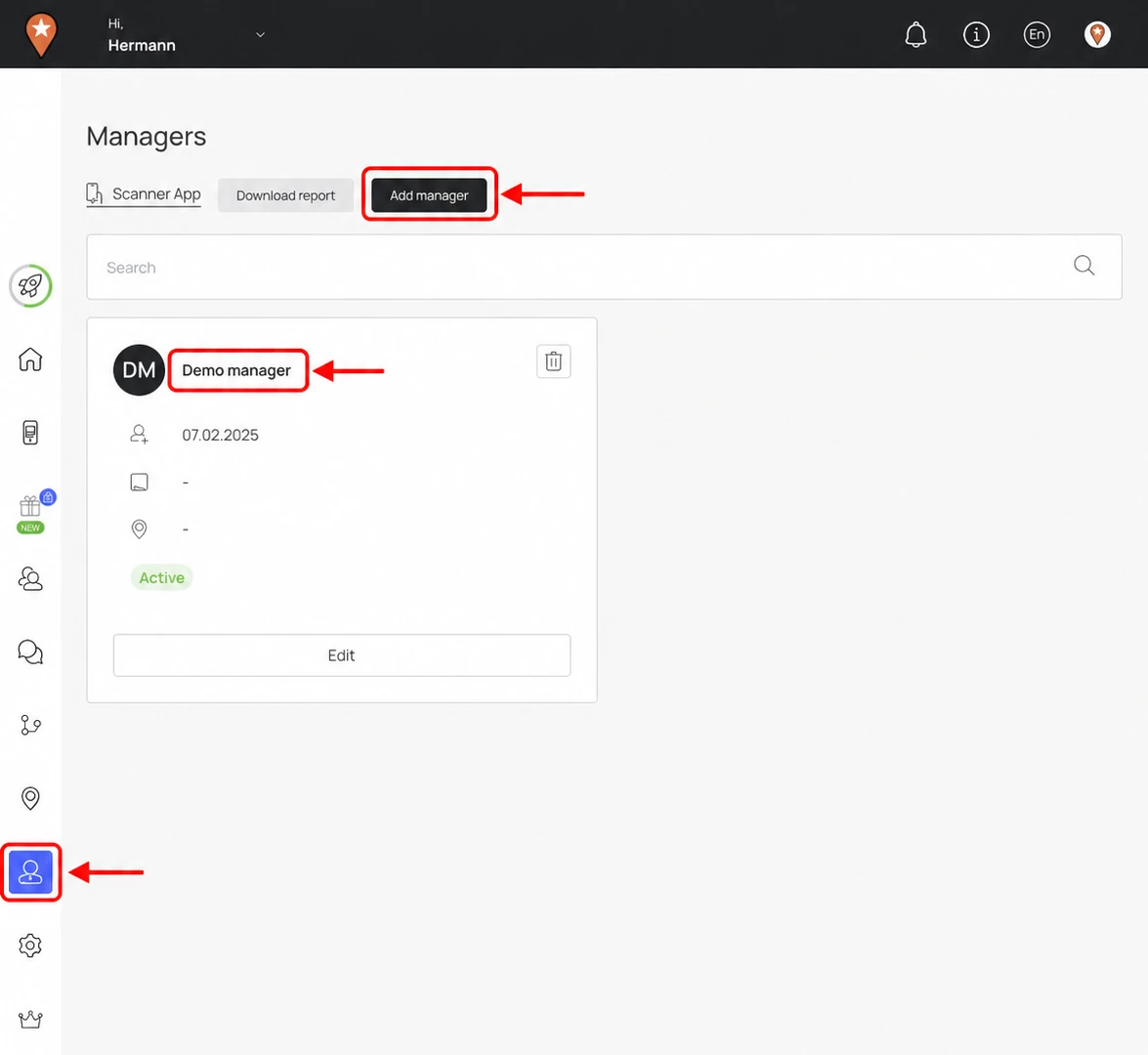
Use the marked Managers icon, then select the marked manager name to open an existing profile.
Check the manager's activity
The summary shows the manager's Name, Registration date and Status, along with Number of transactions and Last transaction date. A manager with no recorded transactions can show 0 and No data.
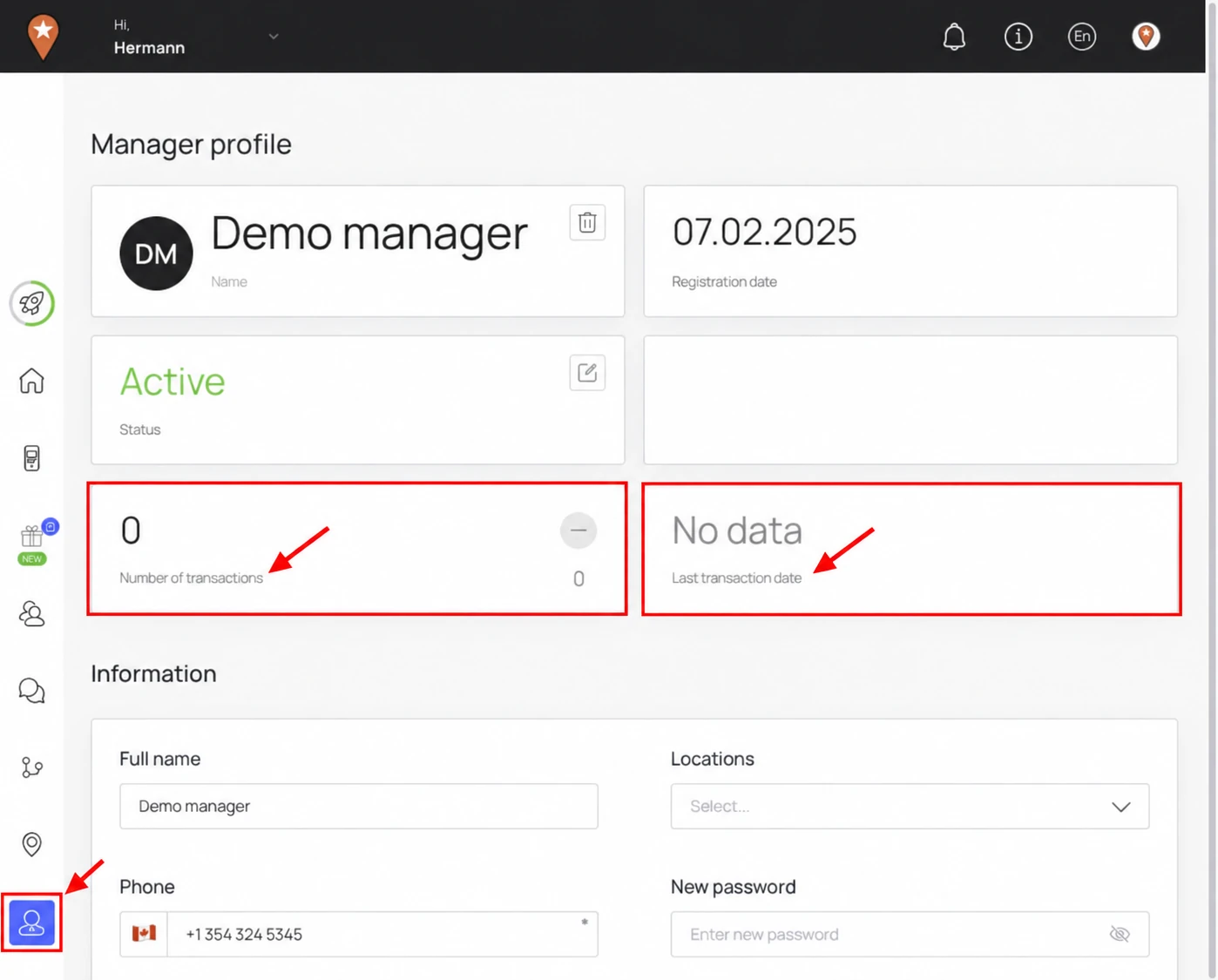
The marked transaction panels show information to check. Scroll to Information when you need to change details or permissions.
Update details and permissions
- Scroll to Information. Update the Full name, Phone, Email, Country, Timezone, Note or Locations as needed.
- If you need to change the password, enter New password and Password confirmation. Leave these fields blank when you are keeping the existing password.
- Review Permissions and choose the areas the manager needs for their role. The boxes selected in the demo are example settings, not a recommended access policy.
- Select Save, then reopen the profile and check the details.
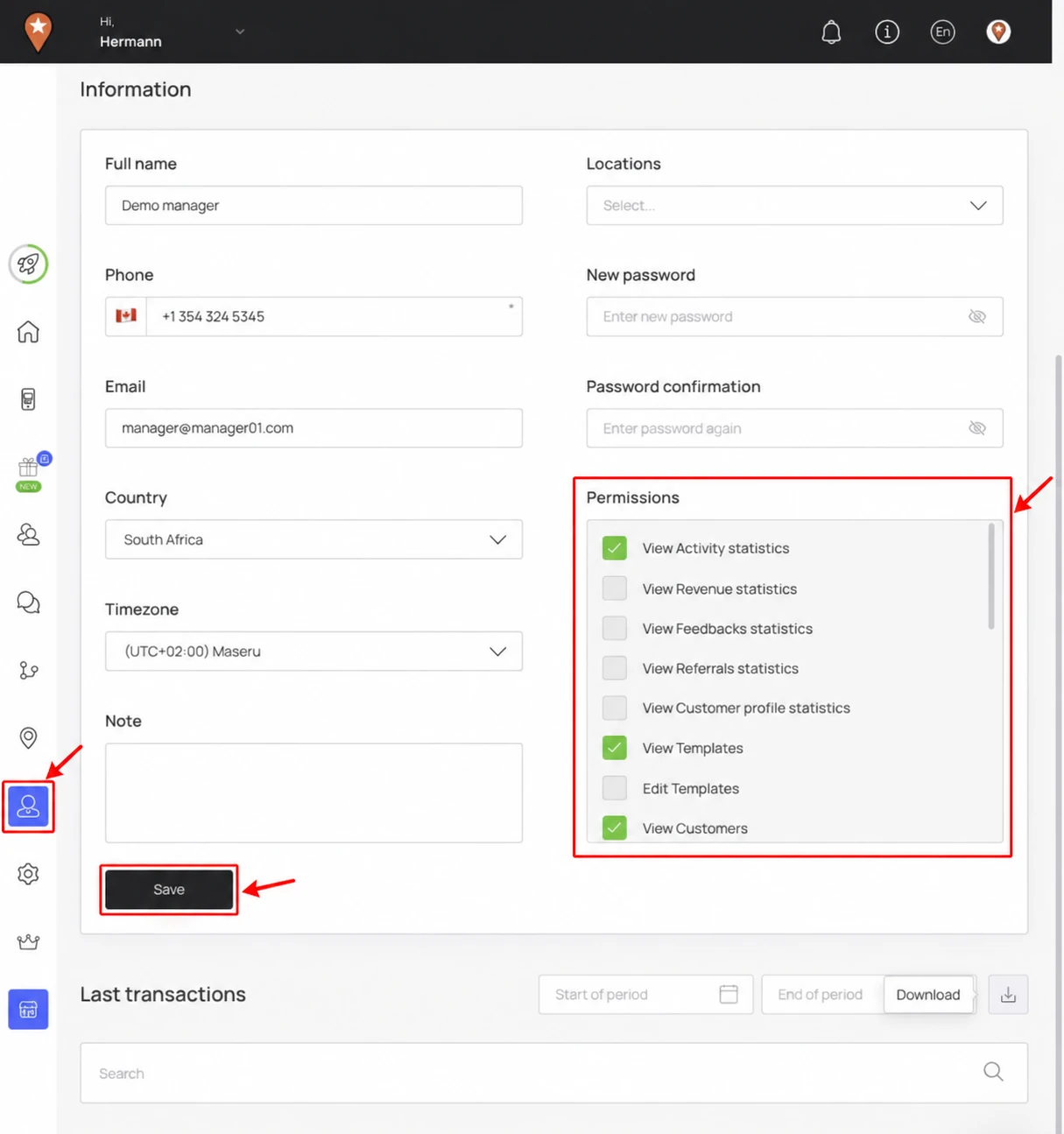
Last transactions
Scroll below Information to Last transactions. Use the start and end dates or the search field to find activity for the period you want to review. The section may be empty when the manager has no recorded transactions.
For the separate edit dialog or account removal, see Add, edit or delete a manager.