Customer Filters
Overview of the customer base filtration options
Application review pending. Current permissions and product version are unverified.
On this page
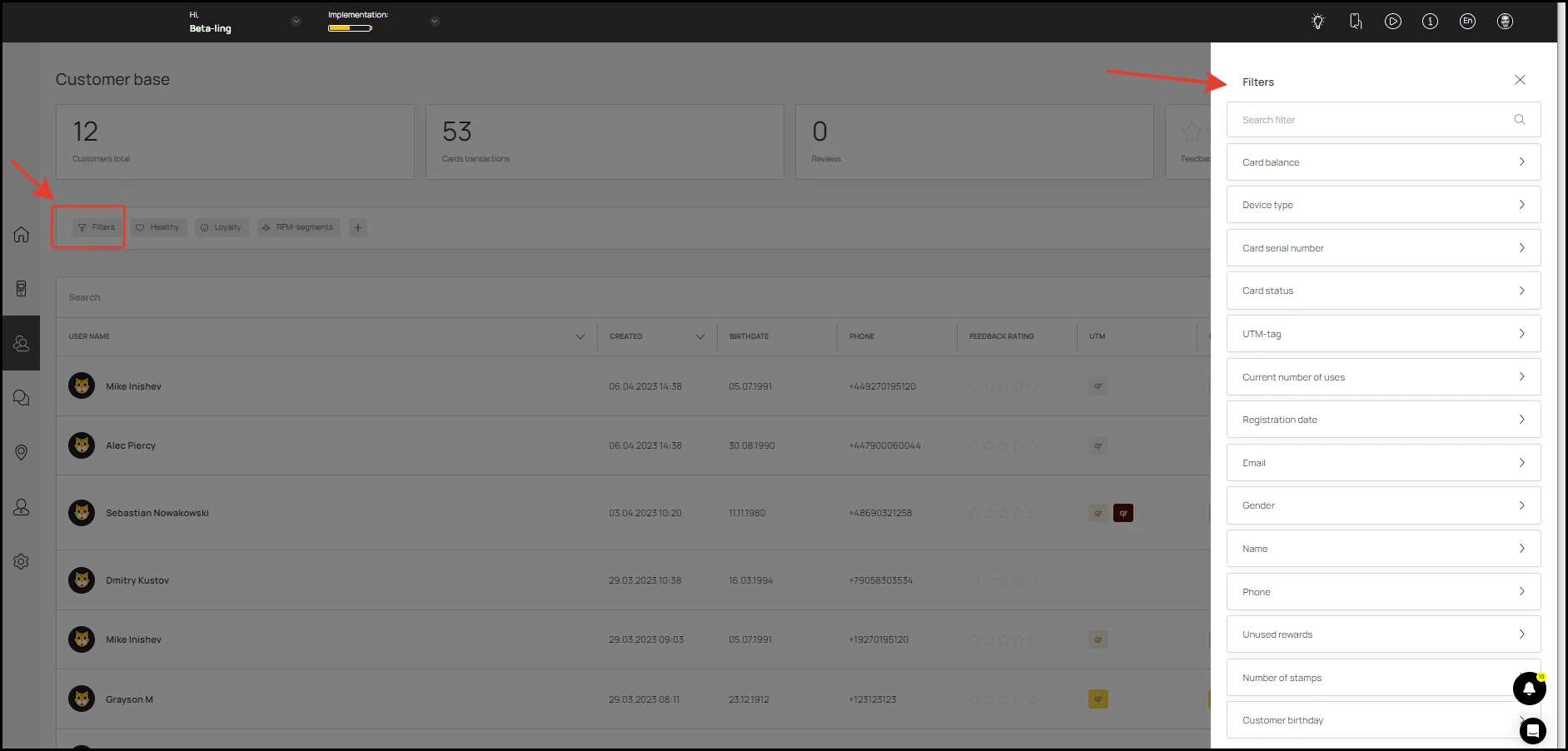
Customer filtration by parameters and filter groups have been added to the customer base
- Filters include the following parameters:
- Card balance
- Device type
- Card serial number
- Card status
- UTM-tag
- Current number of uses
- Registration date
- Gender
- Name
- Phone
- Unused rewards
- Number of stamps
- Customer birthday
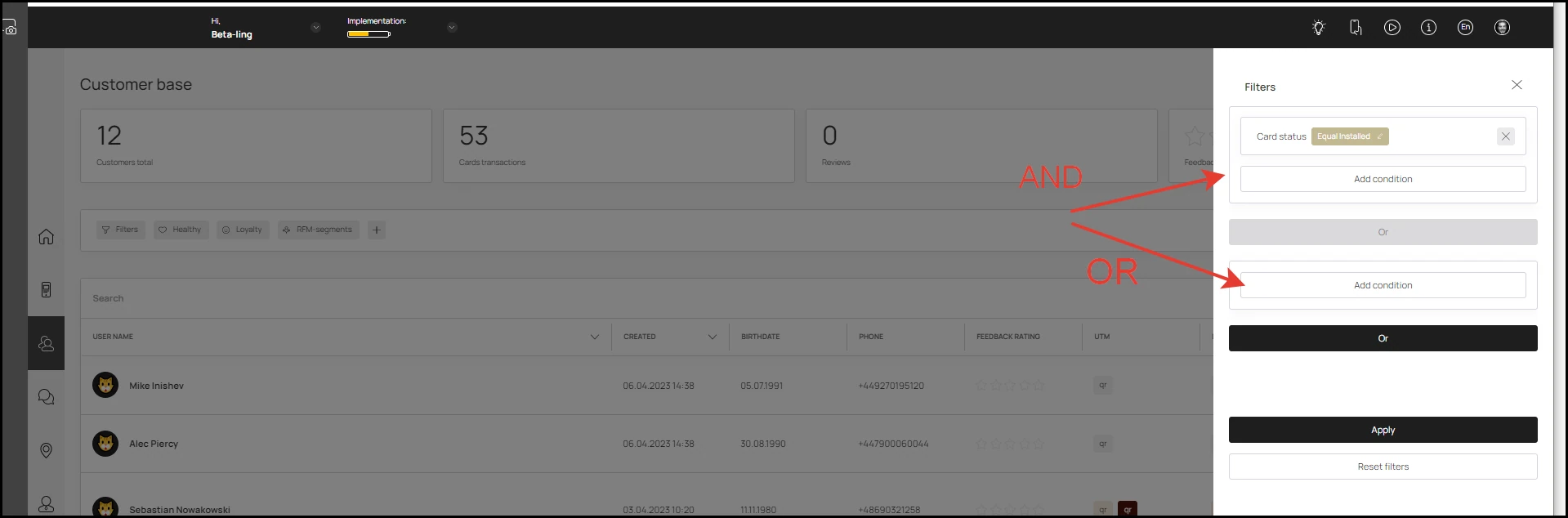
Filters can overlap on an AND/OR condition.
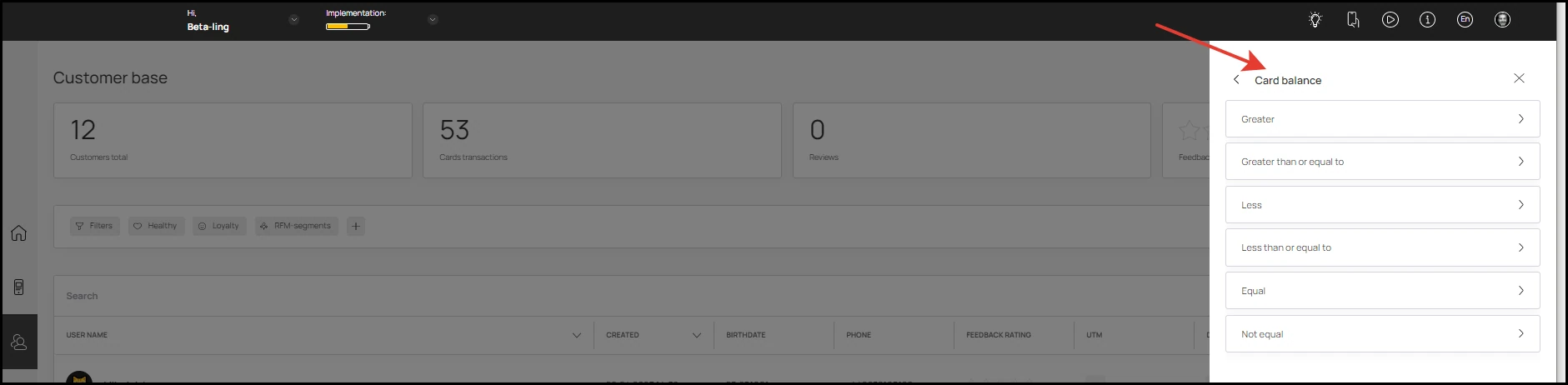
Filter can include:
- comparison to a specific value (string, number, etc.): equal, not equal, more, less, etc.
- entering a range of values: e.g. date from - date to
- entering an array of values: equal to one from the list
For example, the "Card balance" filter
- Filter Groups are ready-to-use presets based on filters. Each filter in a group can be applied individually or combined
There are currently 3 groups of filters, but they will be added quickly.
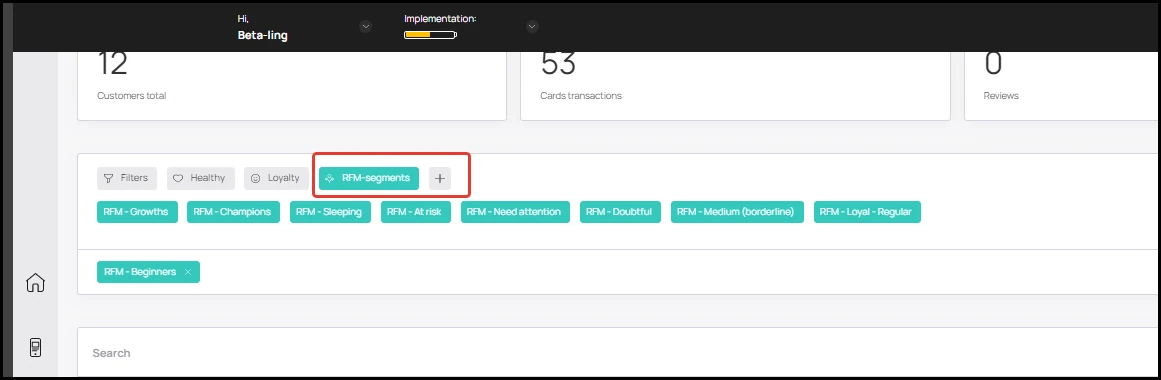
The first filter group “RFM - segments” is a method of analysis that allows you to segment customers based on two variables - duration and frequency of visits.
The following visit periods are included in the analysis:
0 to 30 days:
Number of visits from 0 to 3: RFM - Beginners
Number of visits from 4 to 7: RFM - Growths
Number of visits from 8 to 12: RFM - Champions
31 to 60 days:
Number of visits 0 to 3: RFM - Doubtful
Number of visits from 4 to 7: RFM - Medium (borderline)
Number of visits from 8 to 12: RFM - Loyal - Regular
61 to 90 days:
Number of visits 0 to 3: RFM - Sleeping
Number of visits from 4 to 7: RFM - At risk
Number of visits from 8 to 12: RFM - Needs attention
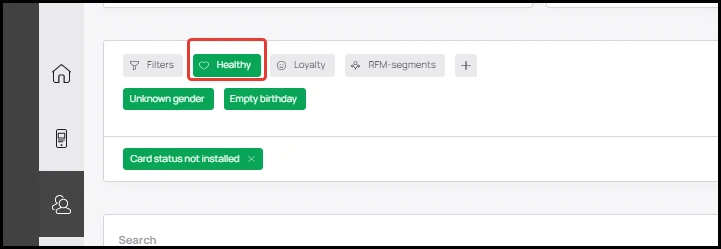
"Health" group contains filters that can be used to sort clients with missing data/not installed cards:
- Card status not installed
- Unknown gender
- Empty birthday
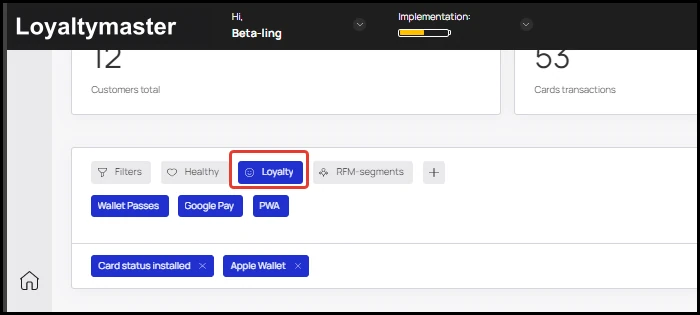
The "Loyalty" filter group includes filters:
- Card status installed
- Apple Wallet
- Wallet Passes
- Google Pay
- PWA