Getting Started

How to Register on Loyaltymaster

Learn how you can register on Loyaltymaster

Application review pending. Current permissions and product version are unverified.

On this page

Registration

  1. Use the provided URL from your web browser address bar to land on the login page.

  2. To register as a new user, click the Registration button. Doing so takes you to the Registration screen.
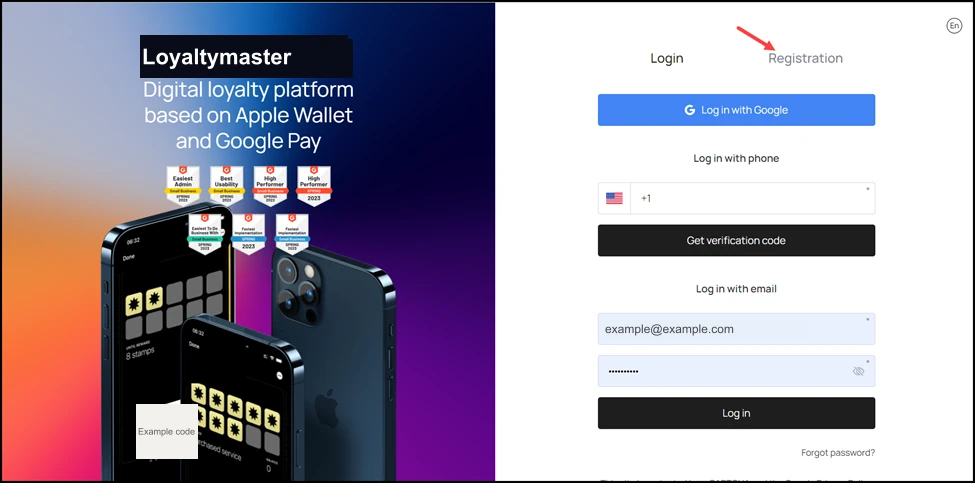
How to Register on Loyaltymaster: To register as a new user, click the Registration button. Doing so takes you to the Registration screen.

  1. Here, enter your first name using the First Name field.
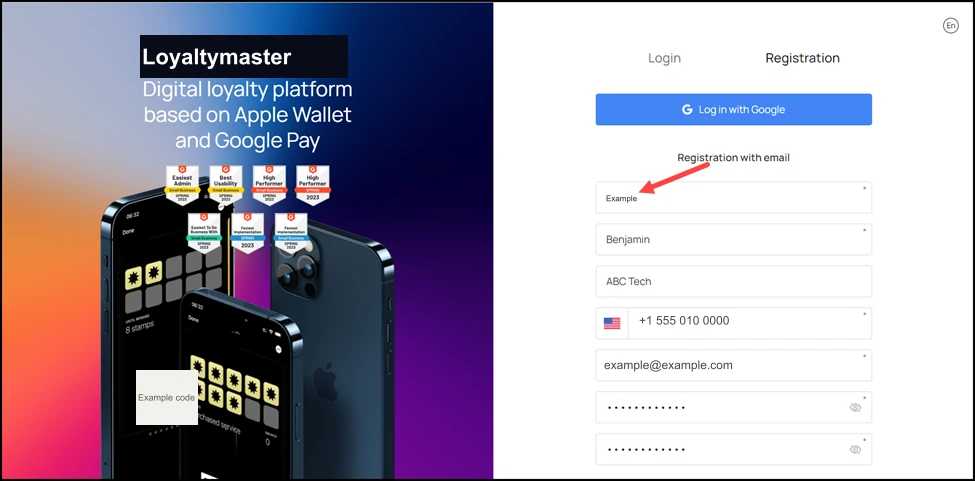
How to Register on Loyaltymaster: Here, enter your first name using the First Name field.

  1. Use the Last Name field to record your last name.
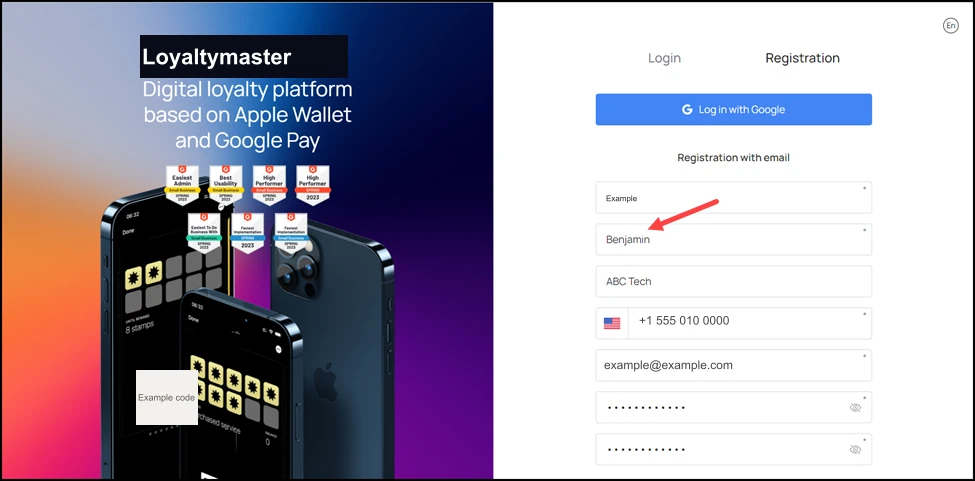
How to Register on Loyaltymaster: Use the Last Name field to record your last name.

  1. Enter the name of your organization using the Company Name field.
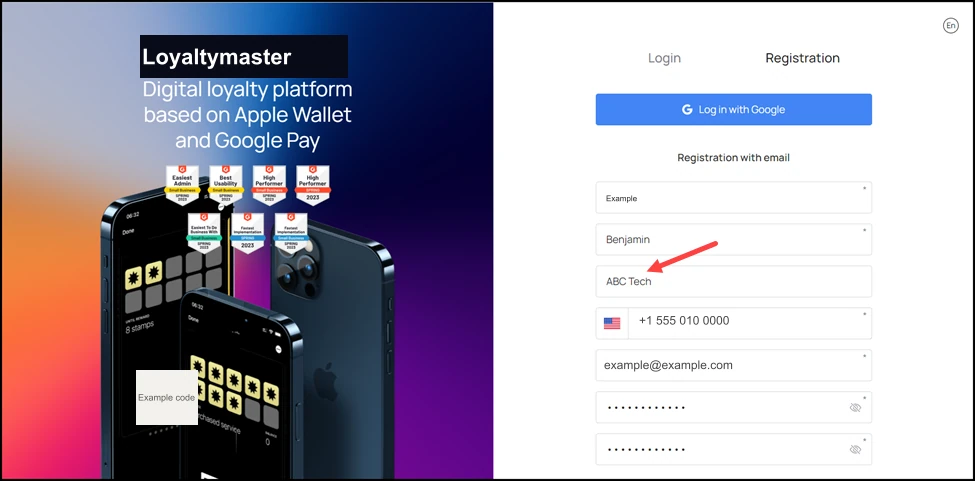
How to Register on Loyaltymaster: Enter the name of your organization using the Company Name field.

  1. Use the Contact Number field to enter your contact number.
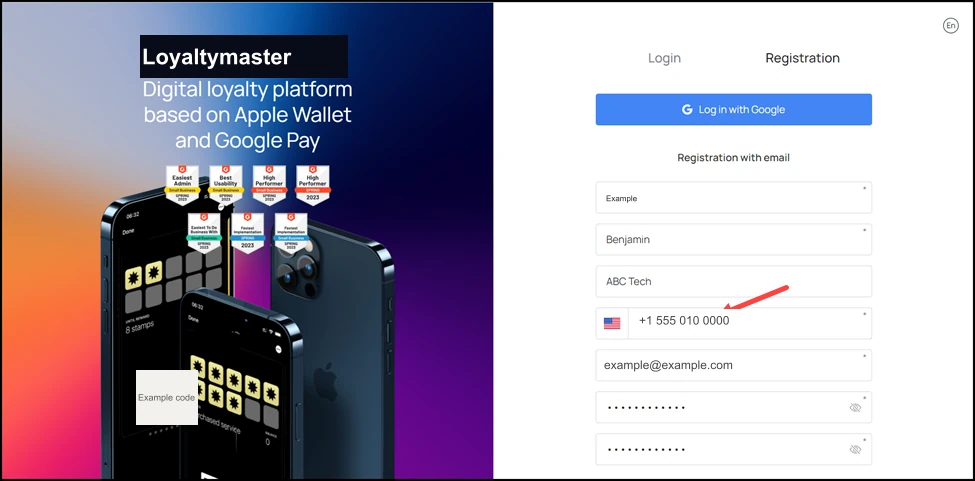
How to Register on Loyaltymaster: Use the Contact Number field to enter your contact number.

  1. Enter the email address with which you want to register on the Loyaltymaster in the Email Address field.
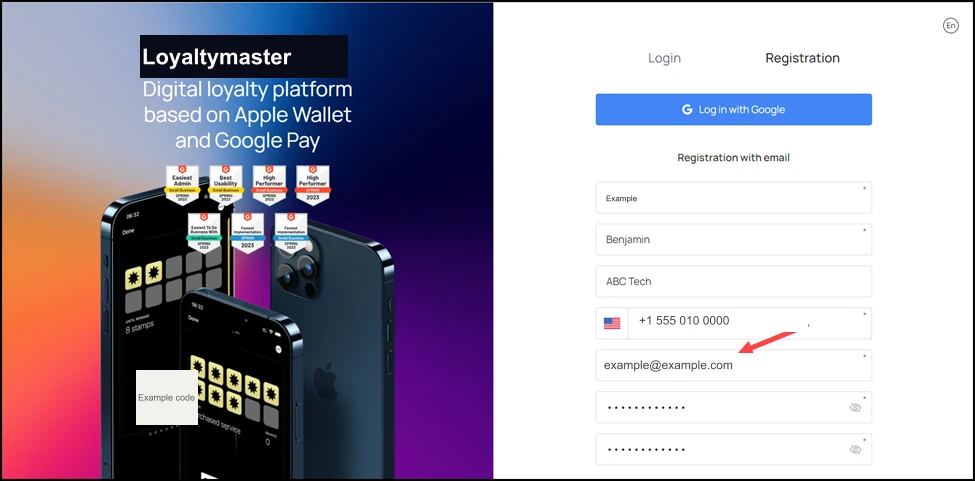
How to Register on Loyaltymaster: Enter the email address with which you want to register on the Loyaltymaster in the Email Address field.

  1. Set a password for your account using the Password field.
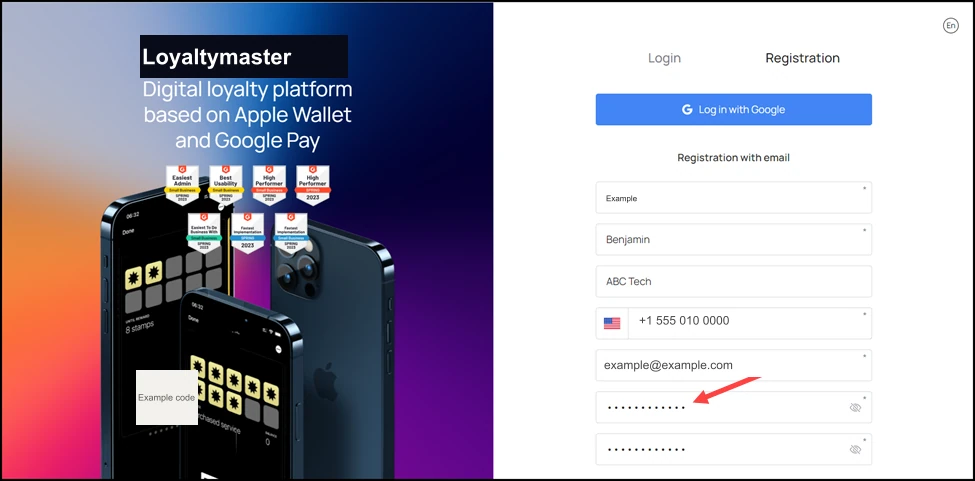
How to Register on Loyaltymaster: Set a password for your account using the Password field.

  1. Confirm your set password by re-entering it in the Repeat Password field.
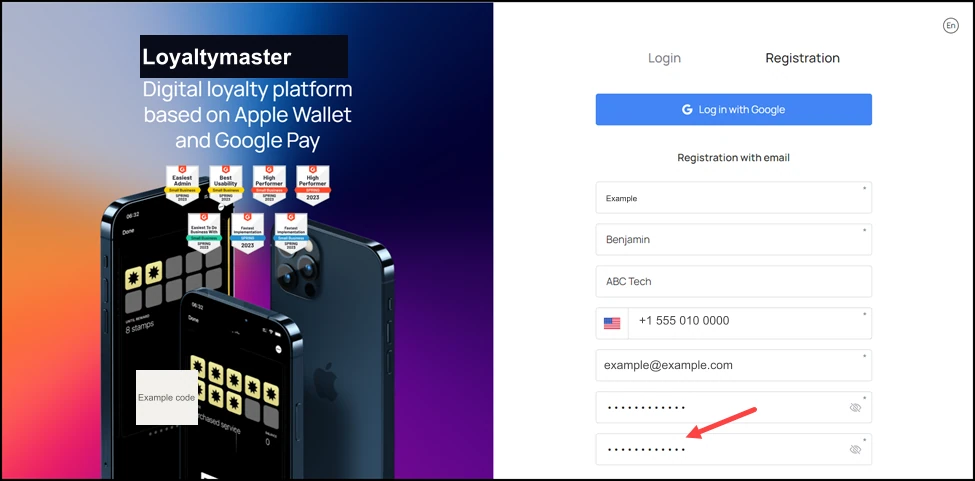
How to Register on Loyaltymaster: Confirm your set password by re-entering it in the Repeat Password field.

  1. Choose the Loyaltymaster plan as per your business need using the Plan dropdown.
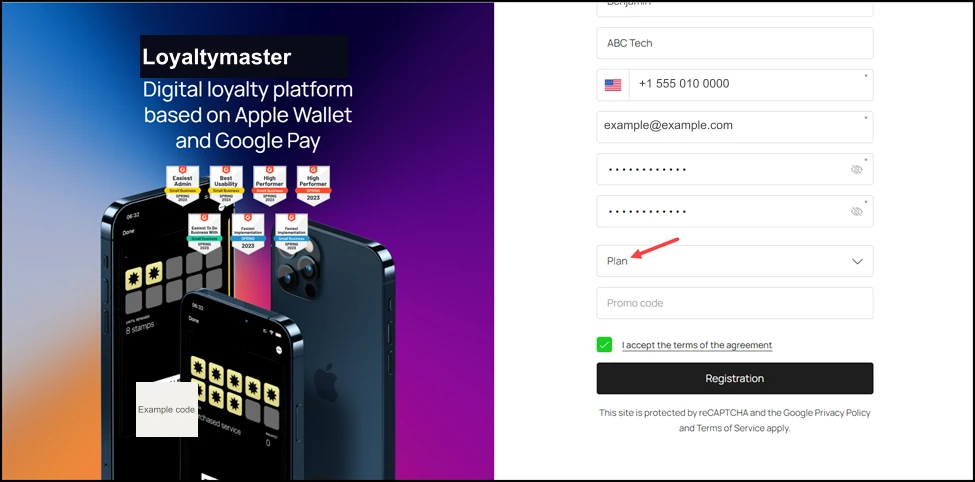
How to Register on Loyaltymaster: Choose the Loyaltymaster plan as per your business need using the Plan dropdown.

  1. If you have any promo code, enter it in the Promo Code field.
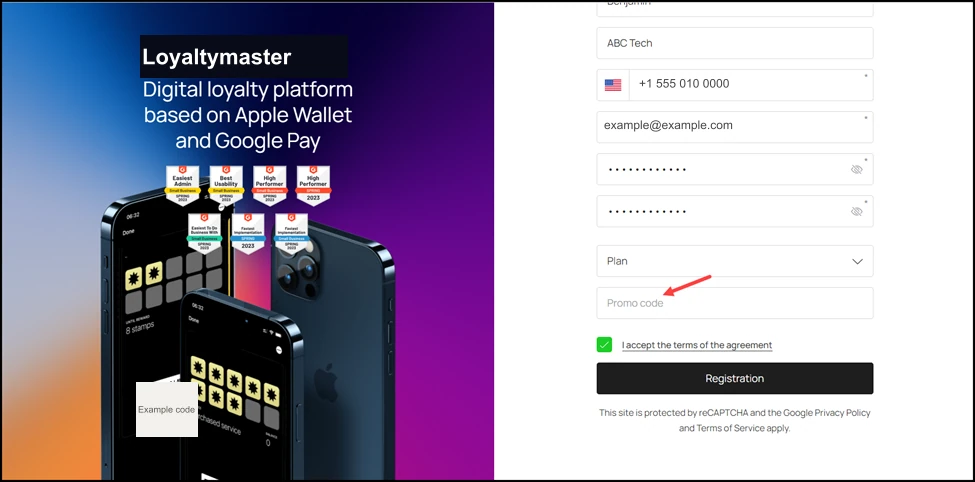
How to Register on Loyaltymaster: If you have any promo code, enter it in the Promo Code field.

  1. Acknowledge the terms and conditions by marking the “I accept the terms of the agreement” checkbox.
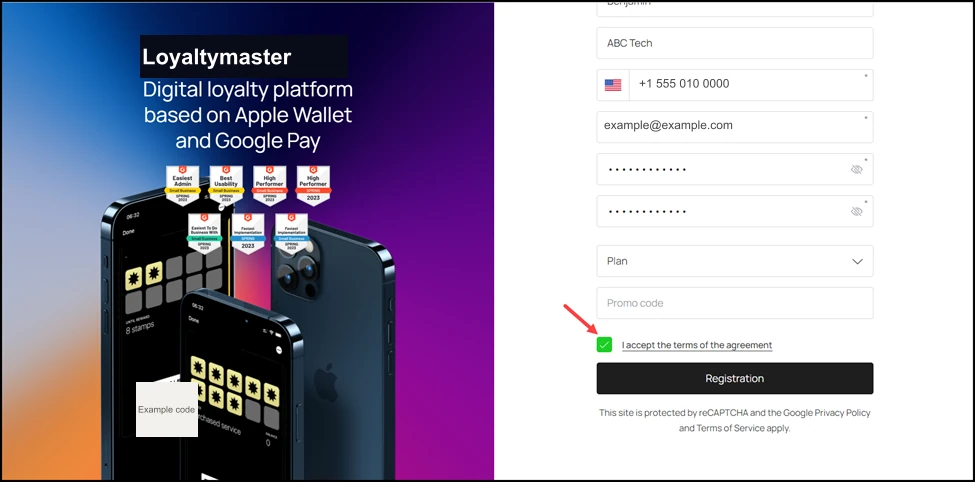
How to Register on Loyaltymaster: Acknowledge the terms and conditions by marking the “I accept the terms of the agreement” checkbox.

  1. Once the required fields are filled, click the Registration button.
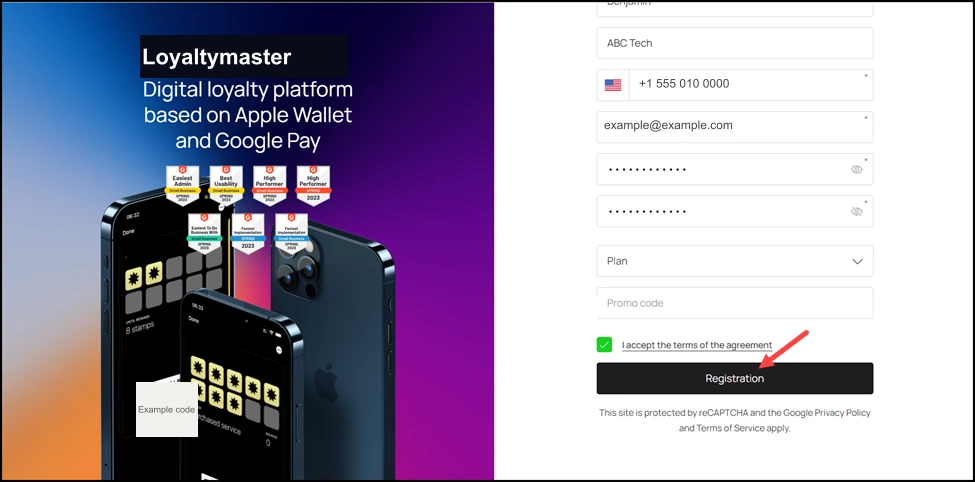
How to Register on Loyaltymaster: Once the required fields are filled, click the Registration button.
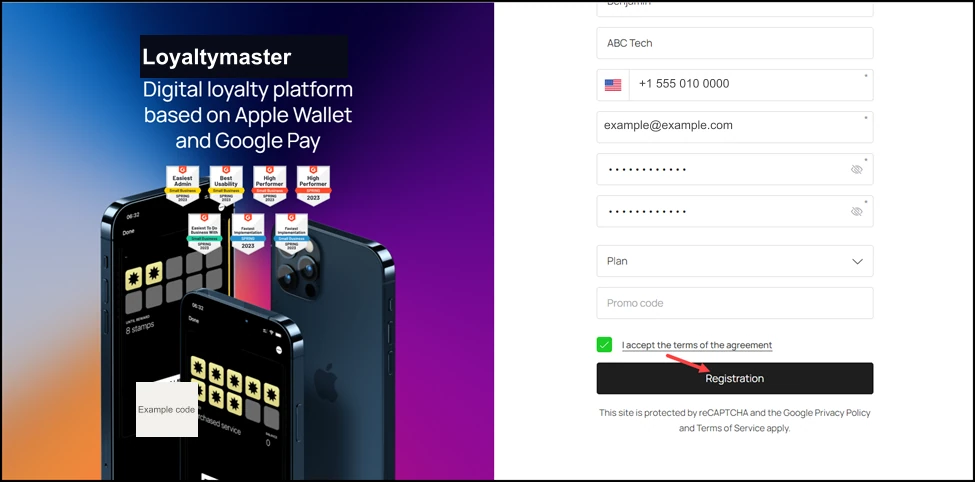
How to Register on Loyaltymaster: