Geo-push
Learn how to create a geo-push
On this page
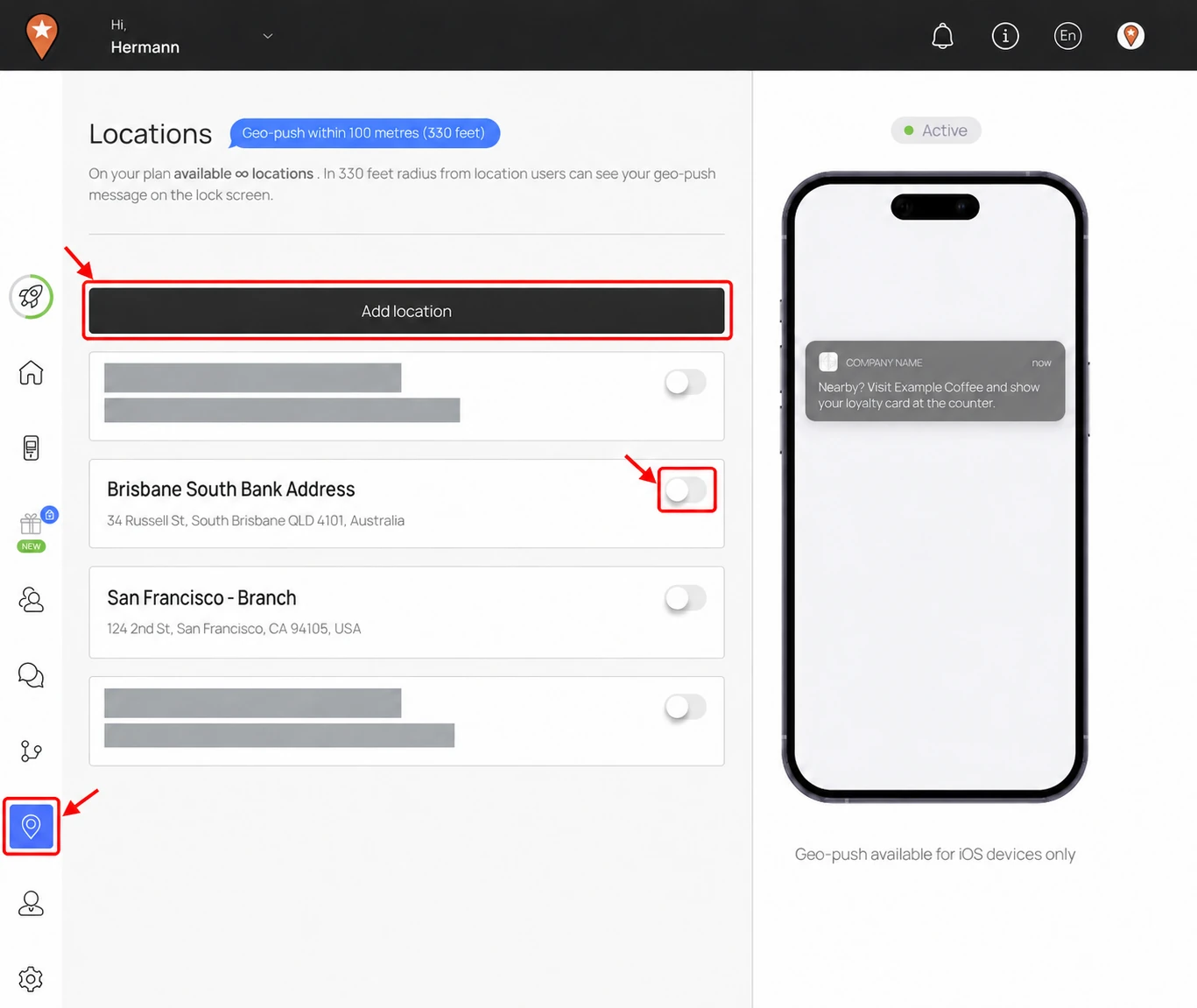
A geo-push is a location message customers with supported iOS cards can see on their lock screen when they are near your business. The Locations page shows a range of 100 metres (330 feet) and notes that geo-push is available for iOS devices only.
Open Locations
In the Loyaltymaster console, open Locations (the map-pin icon) from the left menu and select Add location.
Select any screenshot to enlarge it.
Set up the location message
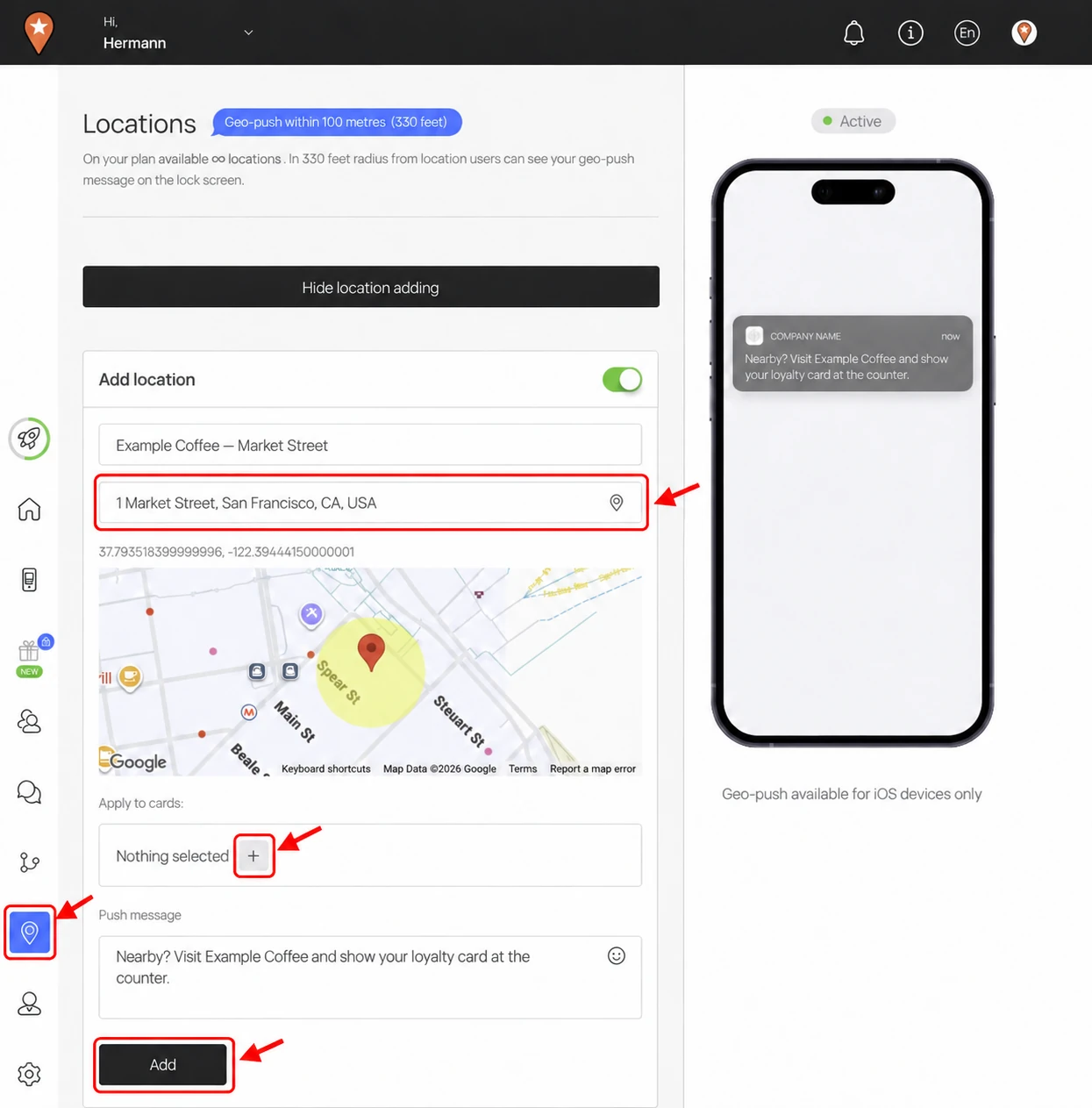
- Enter the Location name and Location address. Choose the matching address from the suggestions, then check the map and position the pin if needed.
- Under Apply to cards, use the + control to choose the cards that should use this location and message.
- Enter the text in Push message. Make it useful for a nearby customer, such as a reminder of an offer they can use at that branch.
- Select Add, then check the saved location and its address in the list. Use the switch beside the location to enable or disable it.
Example: Example Coffee — Market Street is an illustrative business. Enter your own branch address and message, check the map, then choose your cards with + before selecting Add.
For the location setup steps, see Add a location. For a message you send to a chosen audience, see Marketing push.